Key Takeaways
Covers contact center software in depth
Covers call center platform in depth
Covers inbound call center software in depth
Covers virtual call center software in depth
Need a business phone number? Get a MeraTalk number in minutes, no contract required.
Get started freeWhat Is Call Center Software?
Call center software is a technology platform that manages the flow of telephone calls between your business and its customers. It handles inbound calls (customers calling you), outbound calls (your team calling customers), and the routing, queuing, recording, and reporting that goes with them.
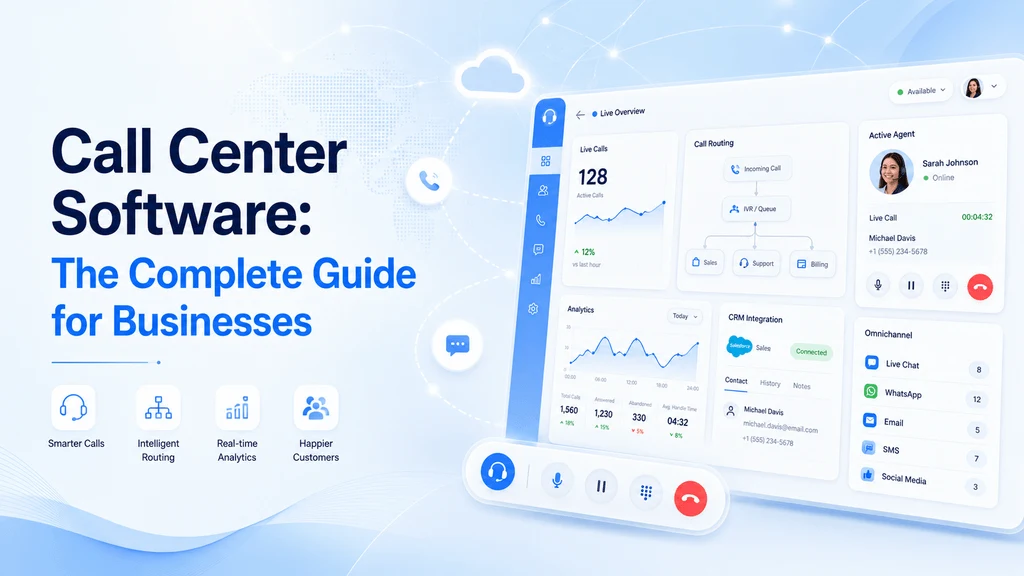
Modern call center software has evolved well beyond simple call routing. Today's platforms integrate voice calls with digital channels like email, chat, and SMS — creating what the industry calls an omnichannel contact center. Agents work from a single interface that shows all customer interactions regardless of which channel they came through.
On-Premise vs. Cloud Call Center Software
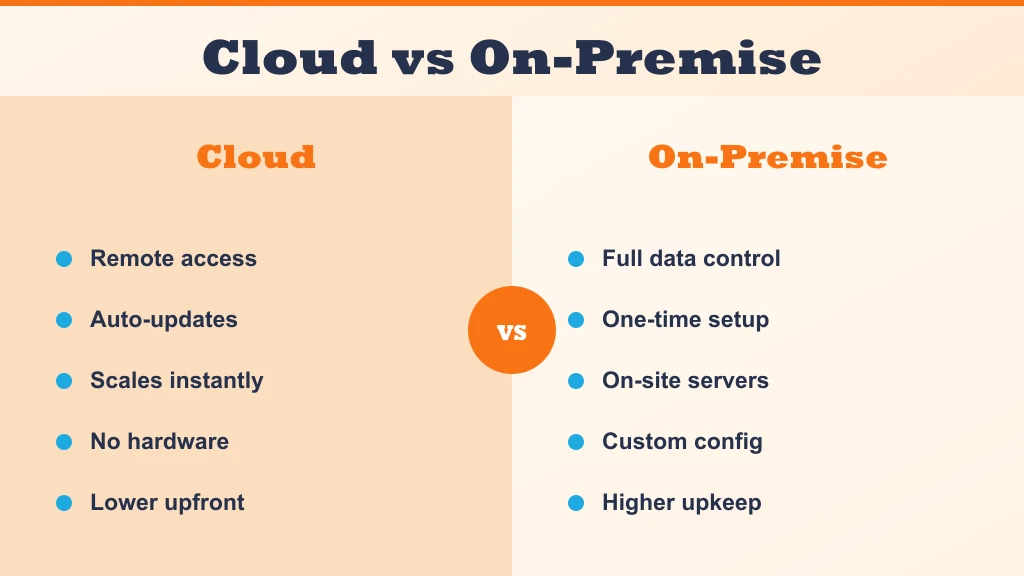
Traditional call center software ran on physical servers installed at the business's premises. Cloud-based software, which now dominates the market, runs on the provider's servers and is accessed through a web browser or dedicated app. Cloud software eliminates the need for expensive hardware, enables remote working, and is updated automatically by the provider.
- Cloud software: no hardware required, accessible from anywhere, monthly subscription pricing, automatic updates.
- On-premise software: full data control, one-time license cost, requires IT staff for maintenance, tied to physical location.
Best Call Center Software: Top Platforms Compared
Dozens of platforms compete in this space, but most buyers end up choosing between a handful of established names. Here is how they compare:
| Platform | Starting Price | Best For | Standout Feature |
|---|---|---|---|
| MeraTalk | $20/agent/mo | Small & mid-sized support teams | Fast setup with no long-term contract |
| Five9 | $149/agent/mo | Enterprise outbound sales teams | AI-powered predictive dialing |
| RingCentral Contact Center | $65/agent/mo | Teams already on RingCentral UCaaS | Deep integration with RingCentral's phone system |
| NICE CXone | Custom pricing | Large enterprise contact centers | Advanced workforce management and analytics |
| Talkdesk | $85/agent/mo | Mid-market teams wanting AI tools | Built-in AI agent assist and QA scoring |
| Zoom Contact Center | $69/agent/mo | Teams already using Zoom for video | Unified video, voice, and chat in one app |
Prices shown are starting per-agent, per-month rates and vary by contract length, seat count, and feature tier — always confirm current pricing directly with the vendor.
Key Features of Call Center Software
The features that matter most depend on whether your team handles inbound calls, makes outbound calls, or does both. These are the core features to evaluate in any call center platform.
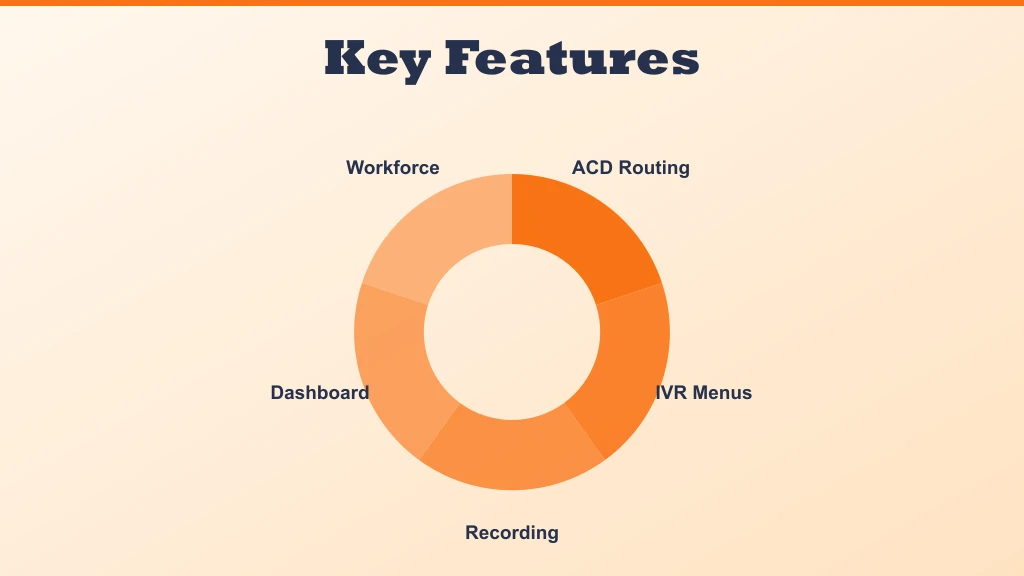
Automatic Call Distribution (ACD)
ACD is the engine that routes incoming calls to the right agent or department. It can route based on the caller's phone number, the option they selected in the IVR menu, the time of day, agent skills, or the caller's history with your business. Intelligent ACD reduces handle time and improves first-call resolution by connecting callers to the most qualified available agent.
Interactive Voice Response (IVR)
IVR is the automated menu system that greets callers and collects information before connecting them to an agent. A well-designed IVR deflects simple queries that do not require a human agent — like account balance enquiries or appointment confirmations — and routes complex issues to the right team. This reduces agent workload and wait times for callers with urgent needs.
Call Recording and Storage
All inbound and outbound calls can be recorded, stored, and searched. Recordings are used for agent training, quality assurance, compliance, and dispute resolution. Modern platforms store recordings in the cloud with configurable retention periods and role-based access controls.
Real-Time Supervisor Dashboard
Supervisors see live metrics on a dashboard: how many calls are in queue, average wait time, which agents are available or on calls, call volumes by hour. The dashboard lets supervisors spot problems — a sudden spike in queue length, for example — and respond before customers experience significant wait times.
Workforce Management
Workforce management tools forecast call volumes and create staffing schedules that match demand. Overstaffing wastes payroll budget; understaffing creates long queues and poor customer experience. Accurate forecasting and scheduling is one of the most significant operational levers in a call center.
Get virtual phone numbers for your business — set up in minutes.
Types of Call Center Software
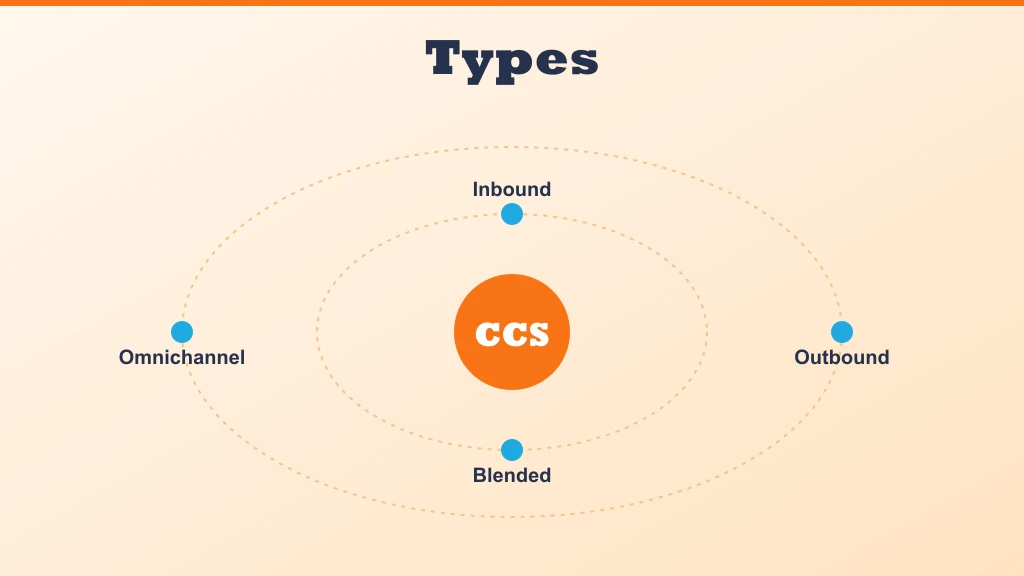
Inbound Call Center Software
Inbound call center software is designed for teams that primarily receive calls — customer support teams, helpdesks, and service centers. Features focus on fast and accurate routing, queue management, and agent tools that help resolve customer issues quickly. Key metrics include first-call resolution rate, average handle time, and customer satisfaction score.
Outbound Call Center Software
Outbound call center software is built for teams that make calls — sales teams, collections departments, and appointment-setting operations. The defining feature is the dialer: predictive dialers automatically call the next number from a list when an agent becomes available, maximising the time agents spend talking to customers rather than listening to rings and voicemails.
Blended Call Center Software
Blended platforms handle both inbound and outbound calls through the same interface. Agents switch between taking inbound calls and working outbound lists depending on queue conditions. Blended software is common in sales teams that also provide customer support.
Omnichannel Contact Center Software
Omnichannel platforms extend beyond phone calls to include email, live chat, social media messaging, and SMS in a single agent interface. The customer history — regardless of which channel each interaction came through — is visible in one unified timeline, enabling agents to provide contextual support without asking customers to repeat themselves.
How to Choose Call Center Software
Choosing the right call center software for your business requires evaluating your current needs, your growth trajectory, and the specific features your team requires. These are the most important factors to consider.
Team Size and Scalability
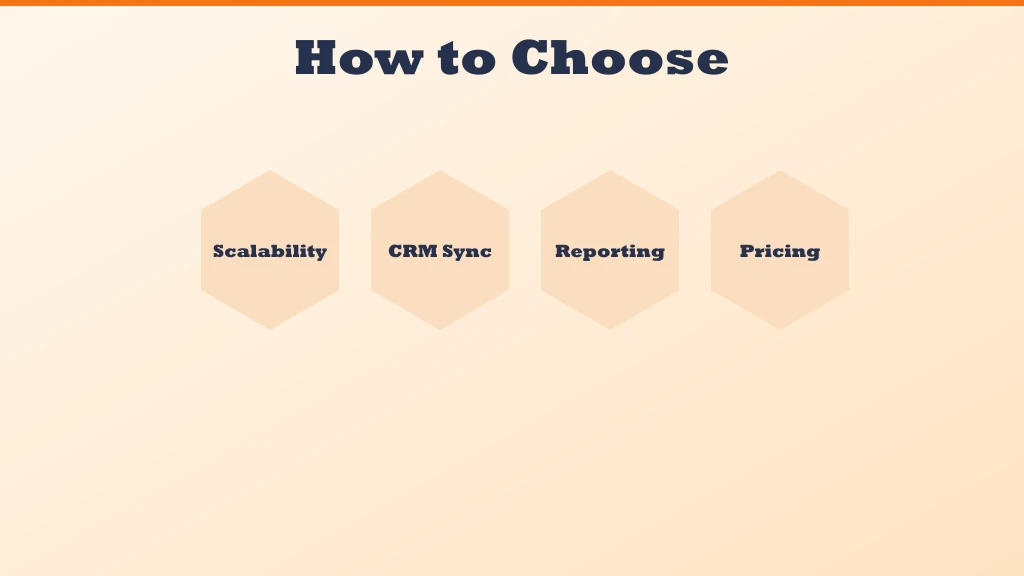
Some platforms are optimised for small teams of 5 to 20 agents; others are designed for enterprise deployments with hundreds of concurrent agents. Evaluate whether the platform you are considering can scale with you as your team grows, and what the pricing model looks like at different seat counts.
Integration With Your CRM
Native integration between your call center software and your CRM software system is one of the highest-value features available. It eliminates manual data entry, provides agents with context on every call, and ensures that call data automatically enriches customer records. Check which CRMs the platform integrates with natively before committing.
Reporting and Analytics
The quality of reporting varies enormously between platforms. Look for real-time dashboards, historical reporting with customisable date ranges, agent performance reports, and the ability to export data for analysis in your own tools. Data-driven teams need platforms that give them the metrics to make decisions.
Pricing Model
Call center software is typically priced per agent per month, with different tiers unlocking additional features. Understand exactly what is included at each tier — some platforms charge separately for call recording storage, IVR configuration, or advanced reporting. Total cost of ownership can differ significantly from the headline per-seat price.
| Tier | Price Range | What's Included |
|---|---|---|
| Basic | $20–$50/agent/mo | Inbound routing, IVR, basic reporting |
| Professional | $50–$100/agent/mo | Adds CRM integration, call recording, real-time dashboards |
| Enterprise | $100–$150+/agent/mo | Adds workforce management, advanced analytics, AI features, dedicated support |
Common Implementation Pitfalls to Avoid
Most failed deployments trace back to planning gaps rather than product flaws. Teams that treat the rollout as a simple software install discover too late that routing rules, agent workflows, and reporting expectations were never documented — and the new platform faithfully reproduces the old chaos.
- Migrating the old IVR tree unchanged — a new platform is the moment to prune menu options callers never use
- Skipping a pilot phase — a single team should run live traffic on the platform before the full cutover
- Underestimating number porting timelines — port requests should be filed early so go-live is not blocked
- Ignoring agent input — the people taking calls all day spot workflow friction that project managers miss
- Launching without fallback routing — a misconfigured queue should overflow somewhere, not ring forever
A staged rollout with a written cutover plan, a rollback path, and a named owner for each configuration area prevents nearly all of these problems.
Security and Compliance Considerations
A call center platform concentrates sensitive material in one place: recordings of customer conversations, payment details spoken aloud, and personal data pulled in from the CRM. Evaluating a vendor's security posture is therefore as important as evaluating its feature list.
- Encryption — recordings and call data should be encrypted both in transit and at rest
- Access controls — role-based permissions decide who can listen to recordings, export reports, or change routing
- Payment handling — pause-and-resume recording or DTMF masking keeps card numbers out of stored audio
- Retention policies — recordings should be deleted automatically once the required retention period ends
- Consent rules — call recording notification requirements differ by jurisdiction, so announcements must be configurable
Regulated industries should request the vendor's audit reports and certifications in writing rather than relying on marketing claims, and revisit the review annually as rules evolve.
Training Agents on a New Platform
The platform only performs as well as the people using it. Agents who fumble with transfers, dispositions, or the CRM screen-pop erase the efficiency gains the software promised, so training deserves a formal plan rather than a single demo session.
- 1Start with supervisors and team leads — they become the on-floor support layer once agents go live
- 2Train in the sandbox — most platforms offer a test environment where agents can practice real call flows without real customers
- 3Teach dispositions and wrap-up codes explicitly — reporting quality depends entirely on agents tagging calls consistently
- 4Shadow the first live days — floor walkers or virtual co-listening catch bad habits before they harden
- 5Refresh quarterly — new features ship constantly on cloud platforms, and untrained features are wasted spend
Building a short internal playbook — one page per common scenario — gives new hires a faster path to competence than vendor documentation alone.
Glossary of Key Call Center Metrics
Reporting dashboards are full of abbreviations, and choosing a platform is easier when the vocabulary is clear. These are the measurements that appear in nearly every serious evaluation.
- FCR (First-Call Resolution) — the share of issues resolved without a follow-up contact; widely treated as the single best quality indicator
- AHT (Average Handle Time) — talk time plus hold plus after-call work; useful for staffing, dangerous as a lone target
- ASA (Average Speed of Answer) — how long callers wait before reaching an agent
- Abandon rate — the share of callers who hang up in queue before being answered
- Occupancy — the portion of logged-in time agents spend actively handling contacts
- SLA / service level — the percentage of calls answered within a target threshold, such as most calls within a set number of seconds
- CSAT — customer satisfaction measured through post-call surveys
Healthy operations track these as a balanced set — improving one metric at the expense of the others usually signals a management problem, not progress.
AI and the Future of the Contact Center
Artificial intelligence has moved from marketing slideware into the daily toolset of contact center platforms. The most mature applications assist human agents rather than replace them: real-time transcription, suggested answers drawn from the knowledge base, and automatic call summaries that eliminate most after-call typing.
Conversation analytics is the second major front. Instead of supervisors sampling a handful of recordings, AI models score every interaction for sentiment, compliance phrases, and escalation risk — turning quality assurance from a spot check into full coverage. Voice bots and intelligent virtual agents increasingly handle routine requests end to end, passing callers to humans with full context when the conversation exceeds their scope.
Buyers evaluating platforms today should ask how AI features are priced, where the models process data, and whether transcripts stay within the vendor's security boundary — because these capabilities are quickly becoming standard rather than premium extras.
Conclusion
Call center software is the operational backbone of any team that handles significant call volume. The right platform reduces handle times, improves customer satisfaction, gives supervisors the visibility to manage performance, and provides the data to continuously improve.
Cloud-based call center software has made enterprise-grade capabilities accessible to businesses of all sizes. Whether you are running a 5-agent support team or a 500-seat contact center, the right platform exists at a price point that makes sense for your scale.
Ready to get started with call center software?
Join thousands of businesses using MeraTalk for Wholesale Voice, VoIP, and phone number services.
Contact MeraTalk Today