Introduction
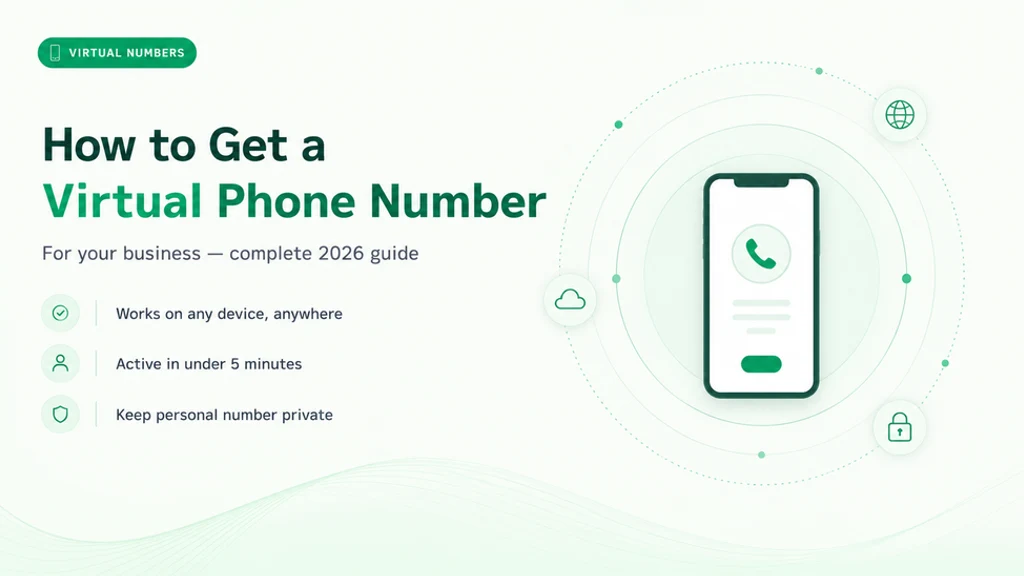
A virtual phone number for business is a phone number that works over the internet instead of a physical phone line — you can get one online in minutes and route its calls to any device. It isn't tied to a piece of hardware or a fixed location: calls ring wherever you choose — a mobile app, a desktop softphone, a browser, or an IP desk phone.
You control where calls go, and the number follows you, not the other way around. That makes it as useful to a solo founder or a small team as to a growing company with several locations.
Getting a virtual business phone number used to mean calling a telecom company, waiting for a service engineer, and signing a long-term contract. Today, it means logging into a platform, selecting a number, and being live in under ten minutes.
Key Takeaways
Covers get a virtual number in depth
Covers business phone number in depth
Covers local virtual number in depth
Covers toll-free number setup in depth
Need a business phone number? Get a MeraTalk number in minutes, no contract required.
Get started freeWhat Is a Virtual Phone Number?
A virtual phone number is a telephone number that is not directly tied to a physical telephone line or a specific piece of hardware. Calls to the number are routed over VoIP (Voice over Internet Protocol) to whatever device or application you've configured as the destination.
Virtual Number vs Traditional Number
- Traditional landline: Tied to a physical copper connection at a fixed address. Moving the number requires a service call.
- Virtual number: Assigned to a cloud account. Works from any device, anywhere. Instantly portable, immediately reconfigurable.
- Both appear identical on caller ID — the caller cannot tell the difference.
How Virtual Phone Numbers Work
Virtual phone numbers use Voice over IP (VoIP) to carry calls as data over the internet. When someone dials your number, the call enters the public telephone network, reaches your cloud phone platform, and is delivered over the internet to whichever device or app you have registered.
To the caller this is an ordinary ring. To you it is an ordinary incoming call on your smartphone or computer. The platform adds routing on top: an auto-attendant greeting, an IVR menu that sends callers to the right department, call queues, and business-hours rules that send after-hours calls to voicemail. All of it runs in the cloud, with no on-premises hardware.
Types of Virtual Phone Numbers Available for Business
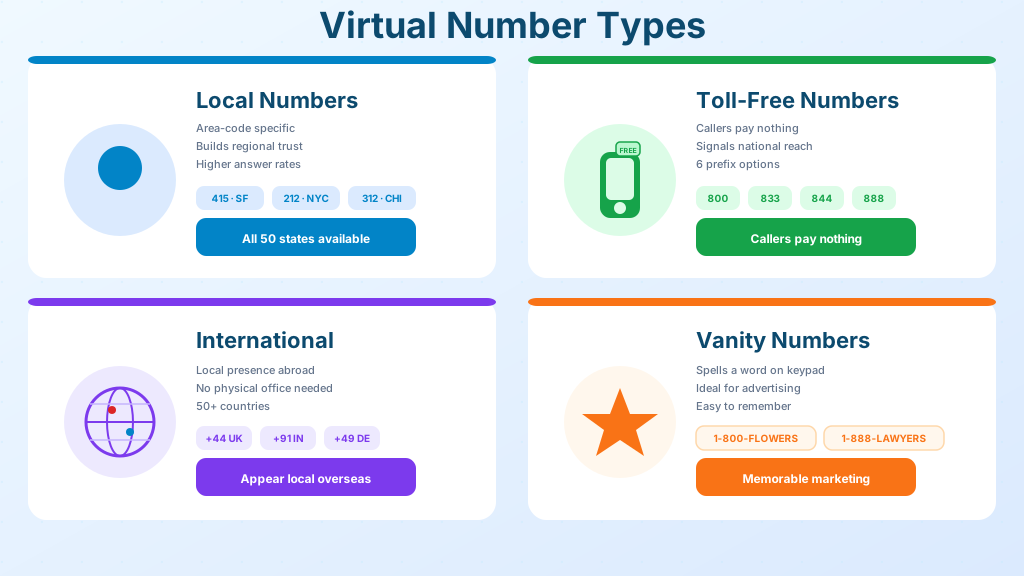
Virtual business phone numbers come in several types, each suited to different use cases.
Local Virtual Numbers
Local numbers carry a specific area code — matching a city or region. A local 415 number signals San Francisco presence. Local numbers have higher answer rates than toll-free or unrecognised numbers.
Toll-Free Virtual Numbers
Toll-free numbers (800, 833, 844, 855, 866, 877, 888 in the US) allow callers to reach you for free. They signal national presence and professionalism.
International Virtual Numbers
International virtual numbers give your business a local presence in a foreign country without physical offices there.
Vanity Numbers
Vanity numbers spell a word or phrase on the phone keypad — 1-800-FLOWERS, for example. They're memorable for marketing and advertising use cases.
Get virtual phone numbers for your business — set up in minutes.
How to Get a Virtual Business Phone Number: Step by Step
The process takes less than fifteen minutes with a modern cloud phone platform.
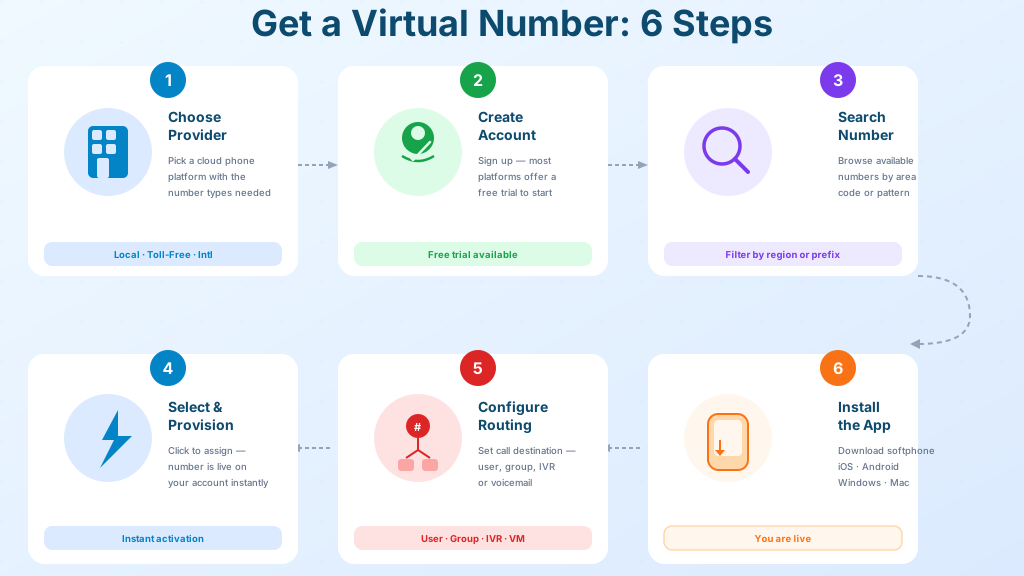
- 1Choose a provider: Select a cloud phone platform with the number types you need (local, toll-free, international) and transparent pricing.
- 2Create an account: Most platforms offer a free trial.
- 3Search for a number: Use the provider's number search tool to browse available numbers by area code, region, or number pattern.
- 4Select and provision: Click to assign the number to your account. Provisioning is instant.
- 5Configure routing: Set where calls to this number should ring — a specific user, a ring group, an IVR menu, or voicemail.
- 6Install the app: Download the softphone app on your preferred devices — iOS, Android, Windows, or Mac.
Porting an Existing Number to a Virtual System
If your business already has a phone number from a traditional carrier or previous VoIP provider, you can port it to your new virtual system. Number porting transfers ownership of the number while keeping the number itself identical.
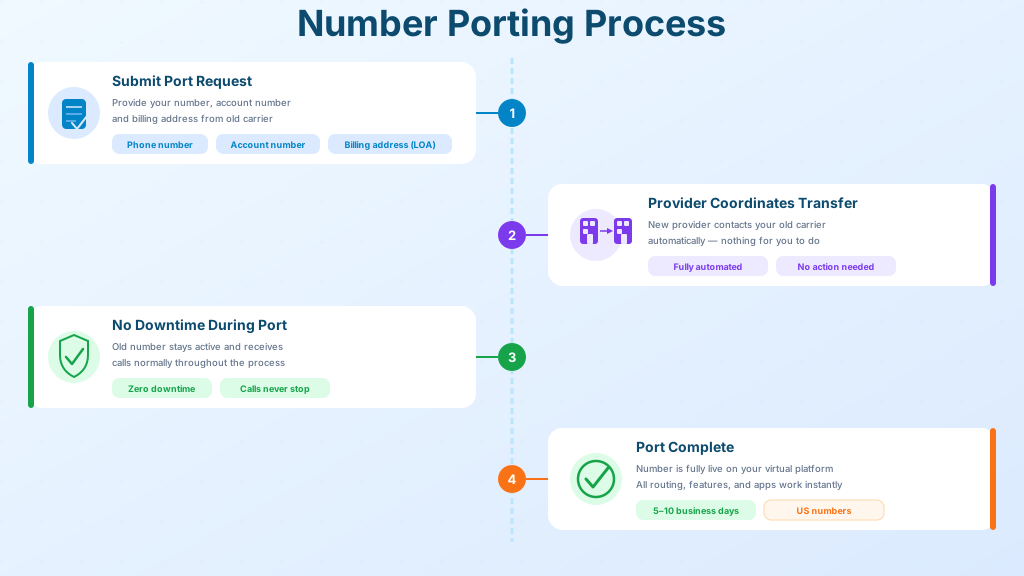
- Submit a port request to your new provider with your current number, account number, and billing address from your old carrier.
- The new provider coordinates the transfer with your old carrier automatically.
- Port duration: Most US numbers complete in 5–10 business days.
- During porting: Your old number remains active and receives calls normally. There is no downtime.
What to Look for in a Virtual Number Provider
Evaluate any provider on these dimensions before committing.
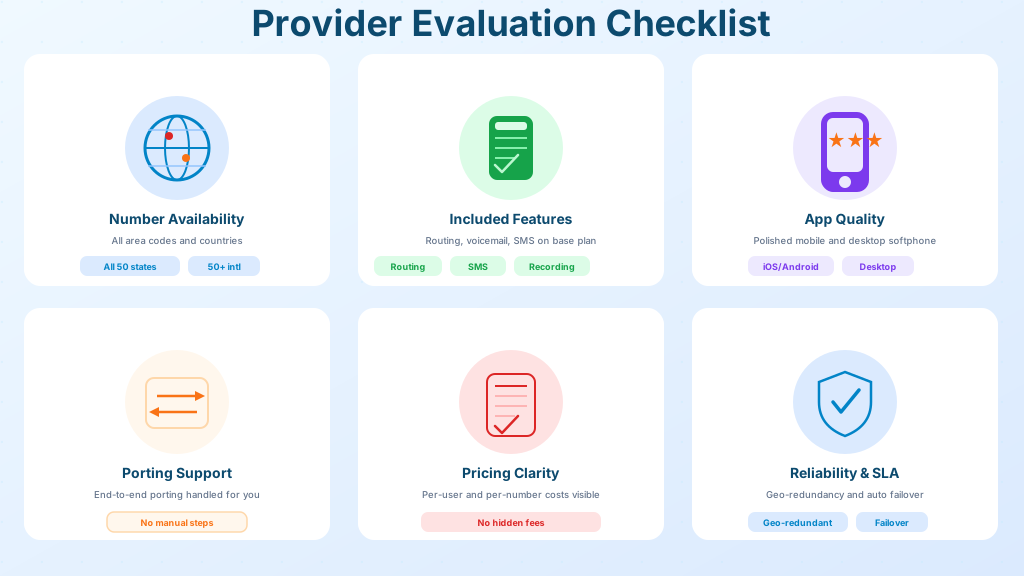
- Number availability: Can the provider provision numbers in the specific area codes and countries you need?
- Included features: Is call routing, voicemail, SMS, and call recording included on standard plans?
- App quality: Does the mobile and desktop app deliver a professional, reliable experience?
- Porting support: Does the provider handle the porting process end-to-end?
- Pricing transparency: Are the per-user and per-number costs clear, with no hidden fees?
MeraTalk provides virtual phone numbers across all US area codes and 50+ countries, with wholesale-grade per-minute rates and same-day number activation. Explore available numbers at meratalk.com.
Virtual Phone Number for Business: Pricing Guide
Most providers charge a monthly fee per number plus per-minute rates for outbound calls, and some bundle calling into a flat per-seat price. Local numbers are usually inexpensive per month, toll-free numbers carry higher per-minute rates because the provider absorbs the cost of inbound calls, and a vanity number can carry a one-time acquisition cost if another business already holds it.
For teams with high call volumes, such as sales teams, support desks and outbound call centres, the per-minute rate usually matters more than the monthly number fee, and wholesale-rate providers such as MeraTalk price minutes well below typical retail plans.
When comparing providers, work out the all-in monthly cost: the number fee plus your expected minutes at the outbound rate, plus any add-ons such as call recording or SMS. Comparing base prices alone is misleading. For more, see Number porting.
Keeping Work and Personal Calls Separate
One of the most immediate benefits of a cloud number is the clean boundary it draws on a single device. The virtual line rings through an app on the same smartphone as personal calls, but with its own caller ID, its own voicemail greeting, and its own contact history. Customers never see a personal cell number, and the business identity stays intact even when the whole company is one person working from a kitchen table.
The separation also respects working hours. Business-hours rules send after-hours callers to a professional voicemail instead of interrupting dinner, while personal calls continue to ring normally. When an employee leaves, the business number stays with the company — routing is simply reassigned to the next person, and no customer relationship walks out the door attached to someone's private phone.
Managing Multiple Numbers Across a Growing Team
As a business grows, one number becomes several: a main line, a support line, local numbers for new markets, perhaps a dedicated line for a marketing campaign. Cloud platforms are built for this — every number lives in one dashboard, each with its own routing rules, greeting, and reporting, while the team answers everything from the same apps.
- Assign each number a clear purpose — sales, support, or a specific region — so reporting stays meaningful
- Use ring groups so a market-specific line reaches everyone qualified to answer it
- Label inbound calls by the number dialed, letting staff greet callers with the right context
- Review usage periodically and release numbers that campaigns no longer need
The result is a phone presence that scales like software: adding a market means adding a number and a rule, not a phone system.
Security Basics for Cloud-Hosted Numbers
Because a virtual number is managed through an online account, protecting that account is protecting the phone line itself. An attacker who gains dashboard access can redirect inbound calls, harvest voicemail, or run up outbound charges. Basic account hygiene closes most of that risk.
- Enable multi-factor authentication on the provider dashboard and require it for every admin
- Give staff role-based access — most users need the calling app, not routing controls
- Review call logs for unfamiliar international destinations, a classic sign of toll fraud
- Remove access promptly when team members change roles or leave
- Use strong, unique credentials on any SIP devices registered to the account
Reputable platforms add their own protections — encrypted calling, anomaly detection, and spending alerts — but the account-level basics above remain the customer's responsibility and take minutes to put in place.
Using Call Analytics to Improve Response Times
Every call that touches a cloud number leaves a data trail, and that trail is one of the most underused advantages of moving off traditional phone lines. The platform dashboard records when calls arrive, how long callers wait, who answered, how long conversations last and which calls were never answered at all. A traditional landline offers none of this visibility.
Reviewed regularly, these reports turn into operational decisions. A cluster of missed calls at lunchtime argues for staggered breaks or an overflow ring group. Long ring times on a market-specific line may mean it is routed to too few people. Useful metrics to watch include:
- Answer rate — the share of inbound calls reaching a live person
- Average time to answer, tracked by hour and day of week
- Missed and abandoned calls, with callbacks logged against them
- Call duration trends by team member or department
Common Setup Mistakes and How to Avoid Them
Provisioning a cloud number takes minutes, which is exactly why configuration steps get skipped. The most common oversight is leaving routing in its default state, with every call ringing one device and no failover, so a single silenced phone means missed customers. A close second is the placeholder voicemail greeting, which quietly undermines an otherwise professional presence.
- Configure a failover chain: primary device, then a colleague or ring group, then voicemail
- Record a proper greeting naming the business, and set a separate after-hours message
- Set the correct time zone before business-hours rules go live — a wrong zone sends daytime callers to voicemail
- Register an accurate address for emergency-call location requirements
- Place a test call from an outside phone after every routing change, not just at initial setup
Conclusion
Getting a virtual phone number for your business has never been faster or more flexible. Local, toll-free, international, and vanity numbers are available through cloud platforms in minutes — no hardware, no long-term contracts, no technician required.
MeraTalk makes it easy to search, provision, and configure virtual business phone numbers across all US area codes. Get started at meratalk.com.
Ready to get started with virtual phone number for business?
Join thousands of businesses using MeraTalk for Wholesale Voice, VoIP, and phone number services.
Contact MeraTalk Today